# Create a Top-Secret sensitivity label for email only
{% hint style="warning" %}
Create a Top-Secret sensitivity label for email only that sets a red watermark
{% endhint %}
## Admin.microsoft.com
Click here
Click here
Click here
Click Sensitivity labels
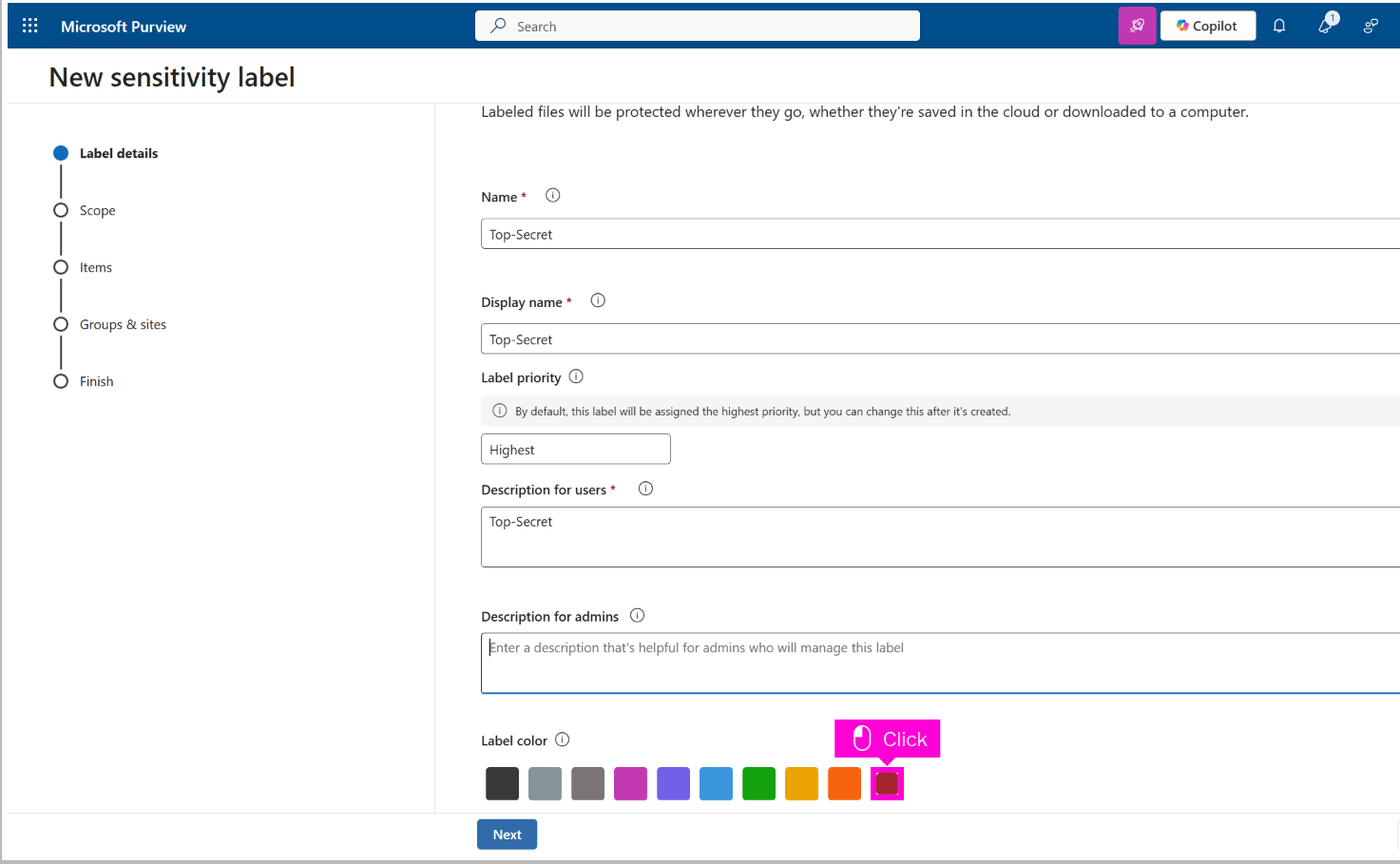
Click Create a label
Click Enter a friendly name
Click Enter a display name. This is the name your use...
Click Description for users
Scroll down and click Burgundy
Click here
Click here
Click Confirm
Click Next
Click here
Click Next
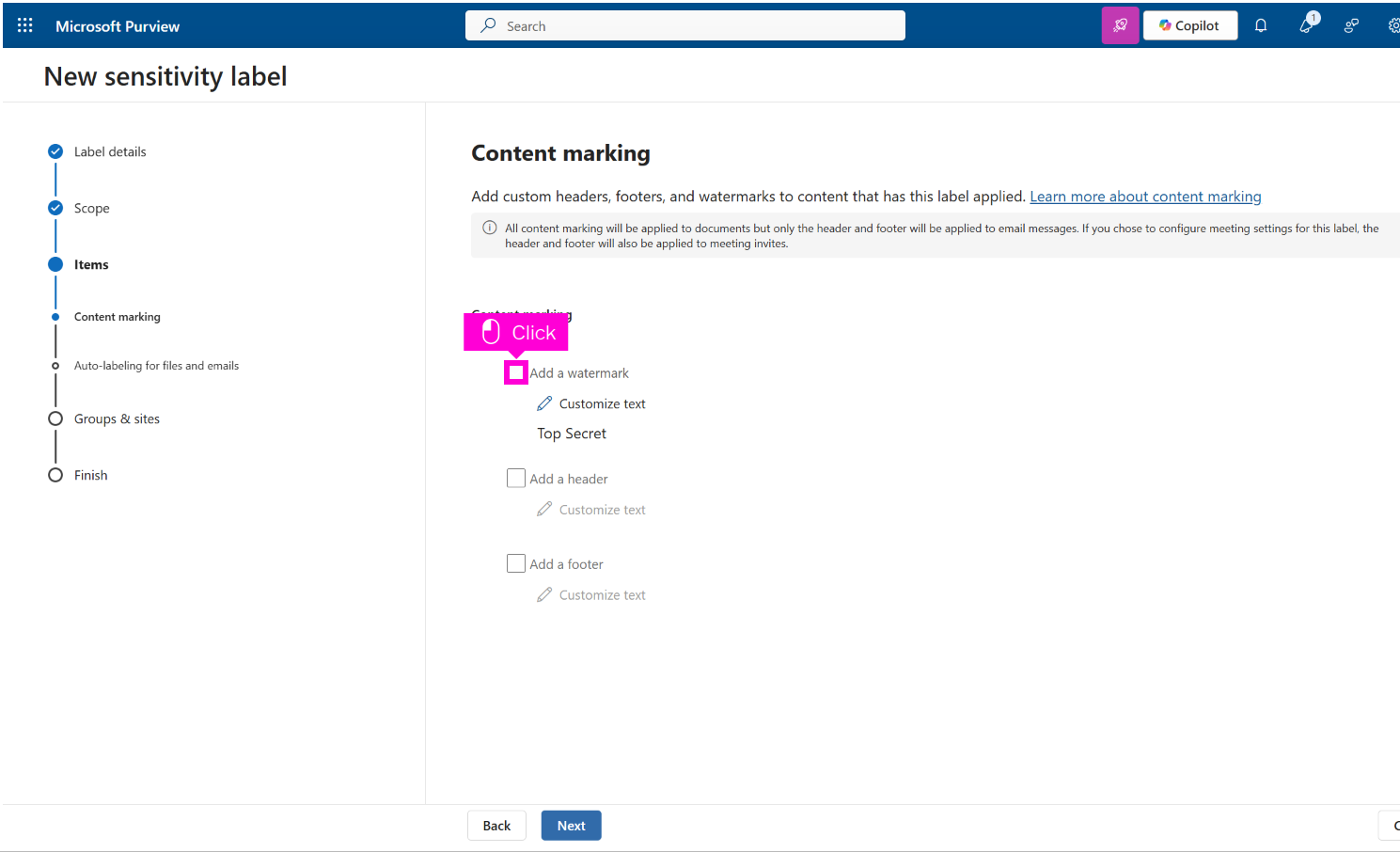
Click Content marking toggle
Click here
Click Customize text
With your mouse, select text in Watermark text
Click Red
Click Save
Click Next
Click Next
Click Next