Host React Application

Create Simple ReactJs Application and Host in XAMPP

In this blog we are going to create a very simple react application and host in XAMPP.

Press enter or click to view image in full size

Prerequisite

  1. XAMPP

  2. Node

If XAMPP and node are not installed in your system, then install first and after that follow next step. You can use following links to download and install.

https://www.apachefriends.org/download.html

https://nodejs.org/en/download/

Check Node and NPM version

Open command prompt and type following commands.

Install create-react-app

If you’ve previously installed create-react-app globally via npm install -g create-react-app, we recommend you uninstall the package using npm uninstall -g create-react-app or yarn global remove create-react-app to ensure that npx always uses the latest version.

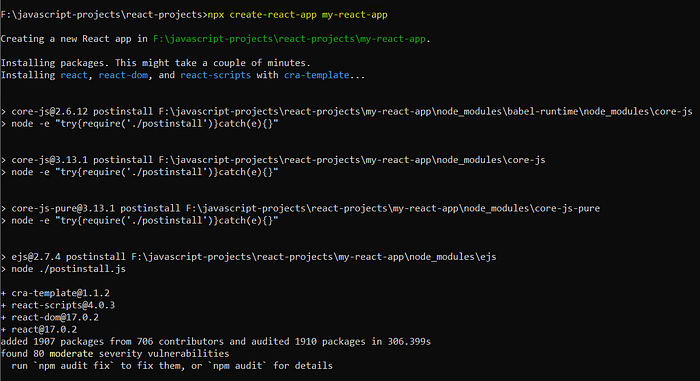
Create a new react app

Open command prompt and go to directory where you want to create project. My project directory is F:\javascript-projects\react-projects. You can choose project directory according to your choice.

Create a project

Press enter or click to view image in full size

Run the project

We can see application started in command prompt:

Check in browser

http://localhost:3000/

Press enter or click to view image in full size

Let us create two webpages home and aboutus in our application

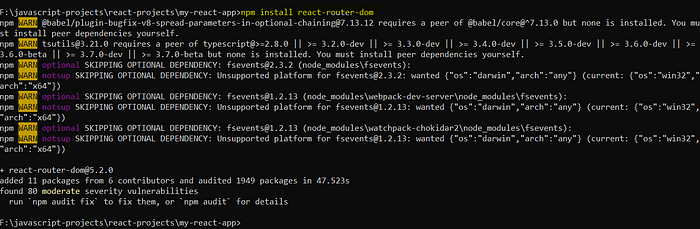
Install react router
Press enter or click to view image in full size

Create webpages folder inside src folder.

Create three files:

  1. src/webpages/index.js

  2. src/webpages/home.js

  3. src/webpages/aboutus.js

Write following code in src/webpages/home.js

Write following code in src/webpages/aboutus.js

Write following code in src/webpages/index.js

Modify src/App.js

Remove all default code which is not required.

Run the application

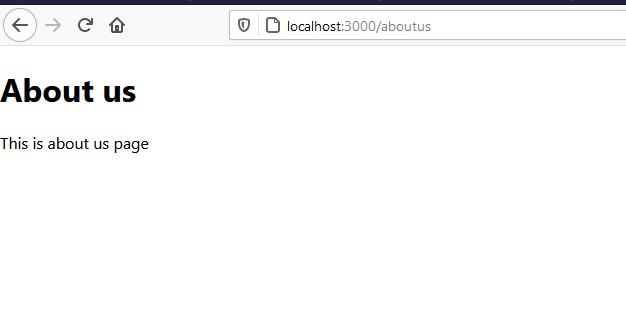
Browse urls:

http://localhost:3000/ http://localhost:3000/aboutus

Press enter or click to view image in full size

Build the react application for deployment

Stop the application, if it is running and run following command:

Press enter or click to view image in full size

We can see build folder created inside our project.

Setup a virtual host

Create a virtual host

Open C:\xampp\apache\conf\extra\httpd-vhosts.conf file

Note: DocumentRoot and Directory will be your build folder, which just now we generated for production.

Save and close the file.

Make a domain name entry in hosts file

Open command prompt as administrator. Open hosts file.

Add following line in hosts file.

Save and close the hosts file.

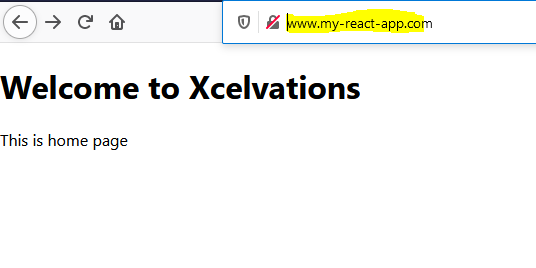
Start your Xampp and browse url

http://www.my-react-app.com

http://www.my-react-app.com/aboutus

Press enter or click to view image in full size

We can see homepage is working but aboutus page is not working. So let us add .htaccess file inside public folder.

Add .htaccess file in public folder

What is .htaccess file?

.htaccess files (or “distributed configuration files”) provide a way to make configuration changes on a per-directory basis. A file, containing one or more configuration directives, is placed in a particular document directory, and the directives apply to that directory, and all subdirectories thereof.

Create a public/.htaccess file

Create a public/.htaccess file and write following lines of code in that file.

Add homepage in package.json file

Press enter or click to view image in full size

Rebuild react application

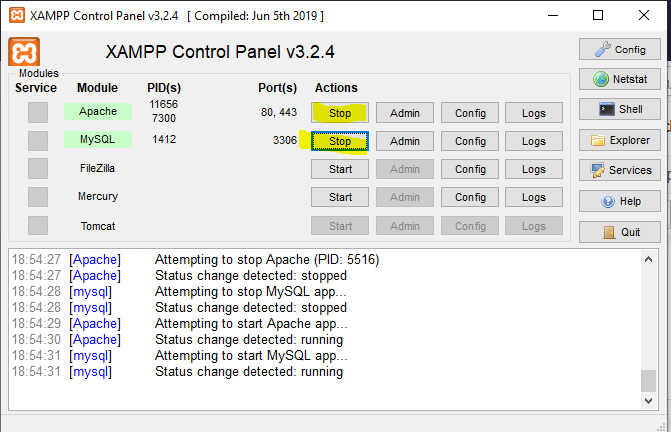
Stop and restart your XAMPP again and browse url
http://www.my-react-app.com/

http://www.my-react-app.com/aboutus

Thanks for reading.


REFERENCES

Last updated

Was this helpful?